

API Keys
To gain access and integrate with our products and services, you need to create your access credentials, called API Keys in the Partner's portal.
With the credentials (API Keys) obtained through the API Keys screen of the Partner's portal, you can access all of our APIs, as well as ME Data Connect.
Access to the Partner's portal is granted only to your organization's developers (DEVELOPER profile). If you don't have access yet, or need to give access to another developer, see Members.
Create an API Key
Access our Partner's portal and create your credentials following the procedure below.
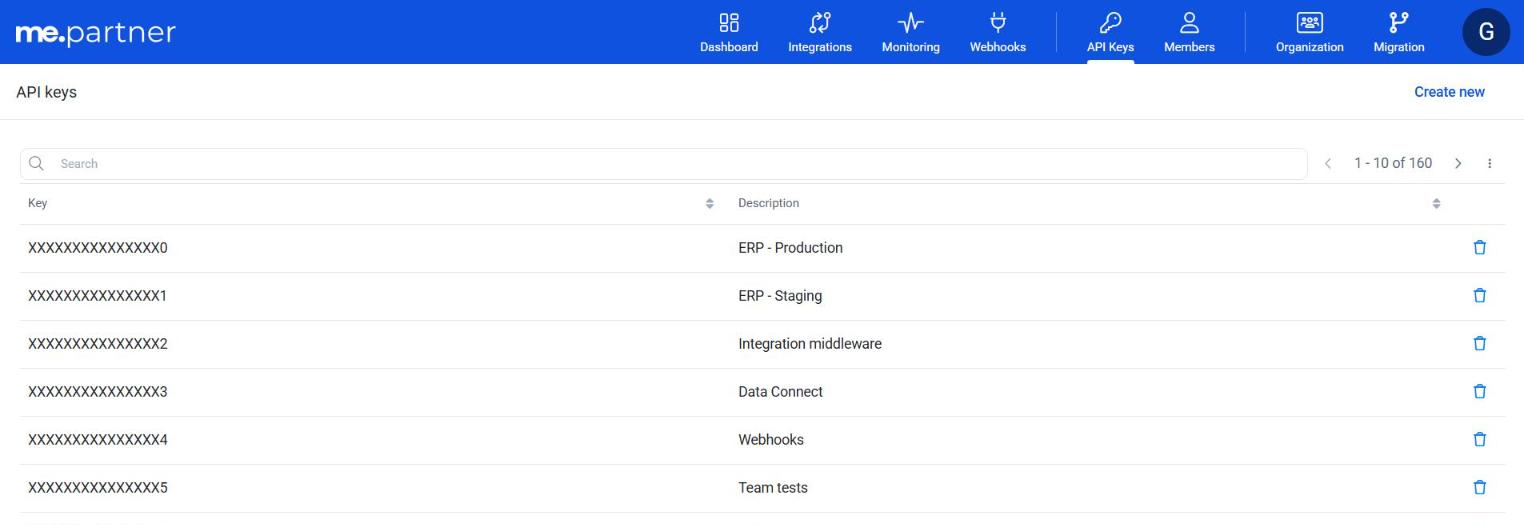
- In the menu, click on API Keys and then click on Create new. The screen lists the existing API Keys, with the Key and Description columns.
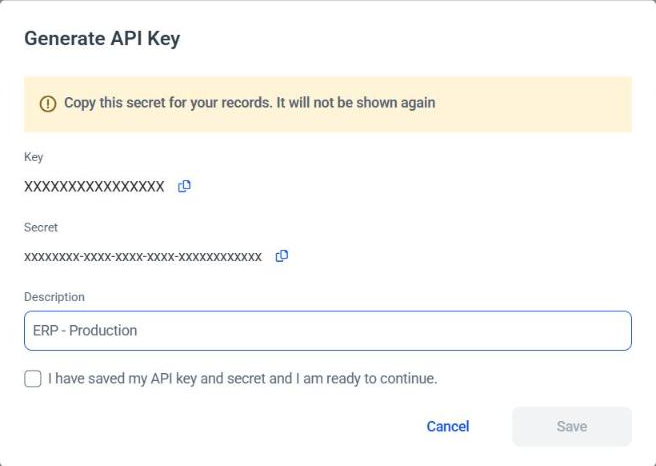
- The Generate API Key window shows the generated Key and Secret, each with a copy button. Save this information somewhere you can refer to when needed: the Secret will not be shown again.
- Enter a Description (required), check the option I have saved my API key and secret and I am ready to continue. and click Save. The Save button is only enabled after checking this option.
- With the generated key, you can now access our APIs, including the ME Data Connect API.
Delete an API Key
To delete an API Key, click the trash icon (Delete) on the corresponding row and confirm the operation. API Keys linked to an integration cannot be deleted; in this case, the portal shows the message Unable to delete. indicating the linked integration. The credential of an iPaaS integration is removed together with the integration. See Authentication.